To edit a listing, select My Account

Sign-In if you aren’t already.
Select My listings

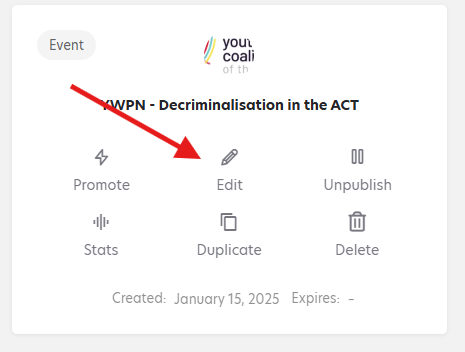
Your Listings page will show up. Find the listing you want to edit and select “Edit”
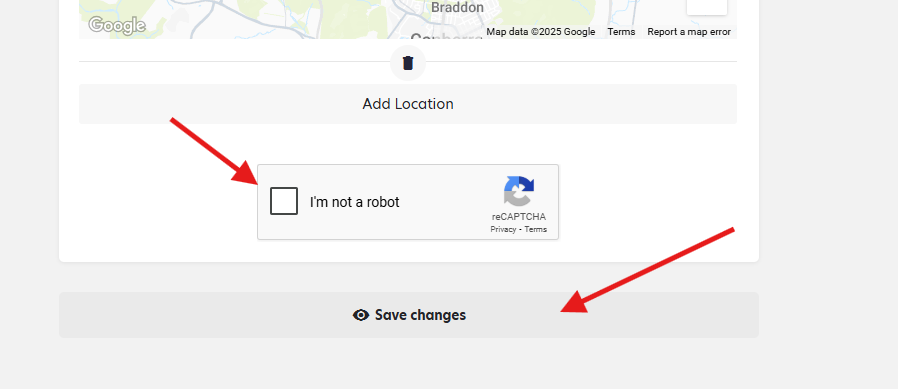
Fill out the form and select “I’m not a robot” then “save changes”



To edit a listing, select My Account
Sign-In if you aren’t already.
Select My listings
Your Listings page will show up. Find the listing you want to edit and select “Edit”
Fill out the form and select “I’m not a robot” then “save changes”